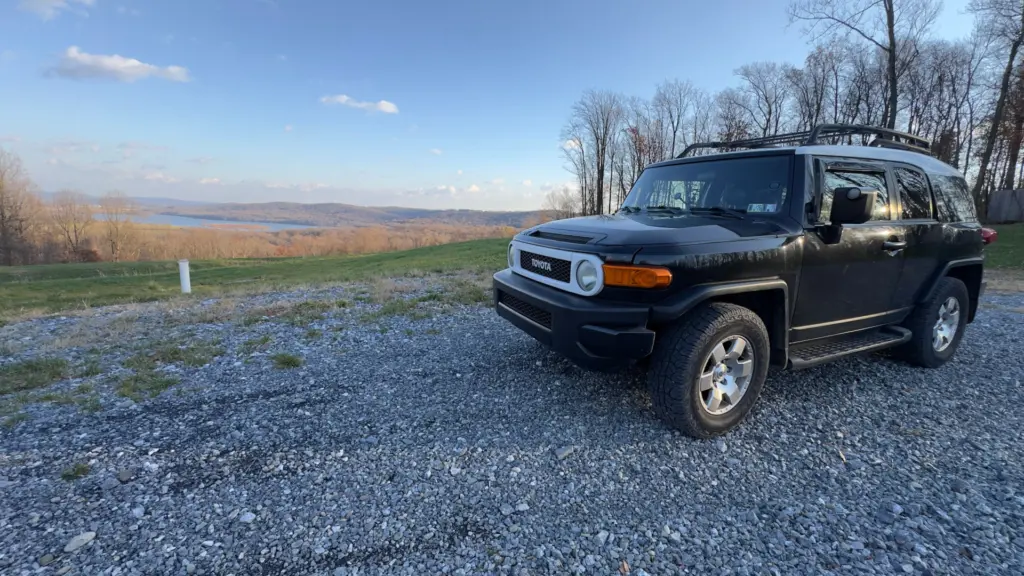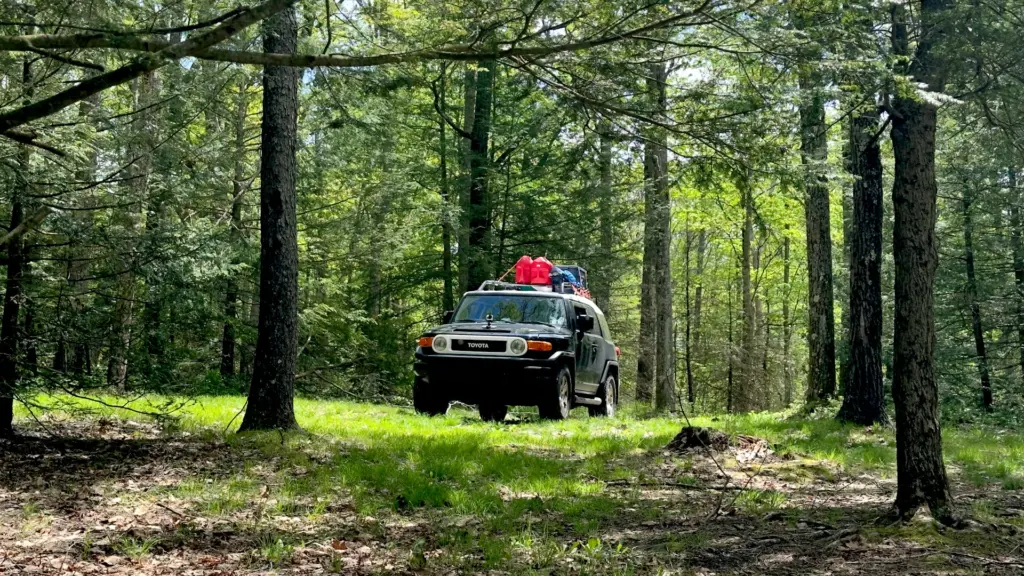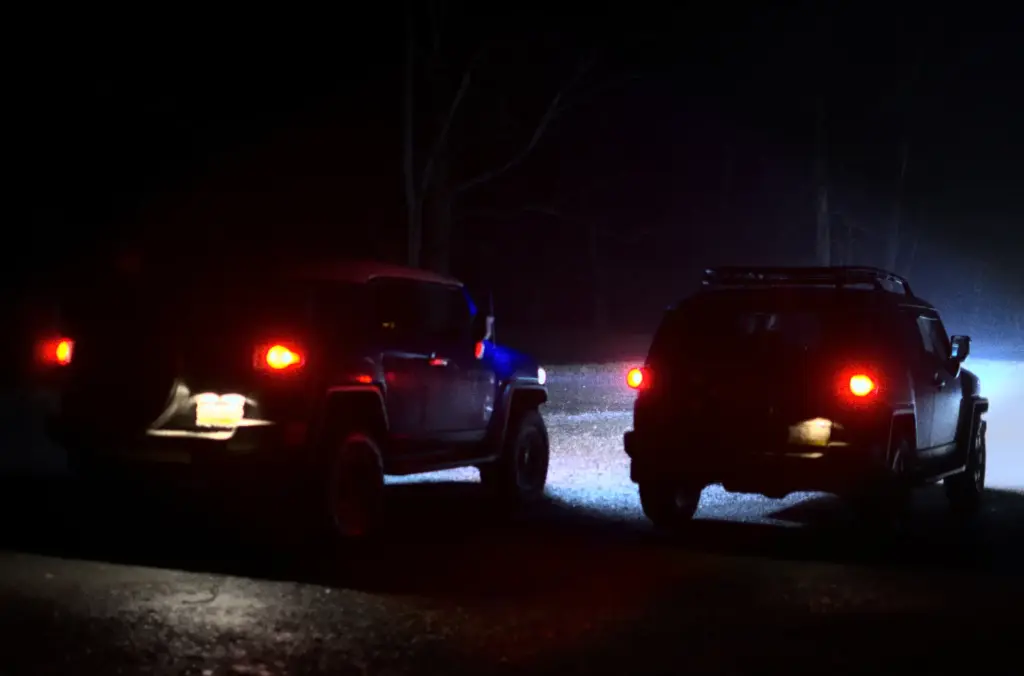
Saturday night, the Cruiser and I took an unplanned break on the shoulder because my registration was expired. Not “I forgot by a week.” Expired-expired. It’s time to get this adventure back on track.
There’s a particular kind of shame that only exists under flashing lights. Sitting in a truck you maintain obsessively, while realizing you did not maintain the paperwork that allows the truck to legally be a truck. Capability is great right up until bureaucracy taps the glass.
Anyway. Hi.
If you’ve noticed a quiet stretch here, you’re not imagining it. I’ve been head-down, trying to get real work done on the video backlog and build a rhythm for the next few months of Adventure Adjacent.
Where I’ve been
The short version: I’ve been making progress, just not the kind that turns into a post, video, or anything public-facing.
I’ve been working, editing, planning, rebuilding my workflow, and doing the unglamorous stuff that makes all the other stuff possible. The upside is the pipeline is real now, not a stack of clips whispering accusations from a hard drive.
The downside is: it looks like I fell off the planet.
Also, I hit the point where streaming felt like dessert when I hadn’t eaten dinner yet. So game streams are paused until Monday, January 26. That’s the line in the sand. If you’re a stream regular, thank you for your patience. If you’re new here, welcome to the part where the sausage is made and occasionally dropped on the floor.
Next steps to Getting Back on Track
The part my brain needs in plain text
Here’s what’s happening next, in the order it needs to happen:
Fishing Creek Revisited: I’m writing the outline for the voiceover script this week, and I’m finally settling on a real title instead of “Fishing Creek Revisited FINAL FINAL v7.”
Alternator swap video: this is next on the editing bench. It’s straightforward, useful, and it deserves to exist as something other than “that folder I keep meaning to open.”
Power steering fluid flush write-up: I did the flush in a rush and didn’t film it, which means it’s getting turned into a proper Field Notes post. Not a how-to masterpiece, but a practical “here’s what I did, here’s what I’d do differently” for anyone else who’s staring at tired fluid and a busy calendar.
And yes, a little post about the registration. That is now on the list too. The reminder is written in all caps in the mental notebook. It’s next to where I keep my hate for bureaucracy and nowhere near the mail about renewal.
Accountability corner: the registration incident
I don’t love sharing that I got pulled over. But I also don’t love the version of adulthood where we pretend we’re all perfectly on top of everything.
I’m building this project around the idea that competence is a form of self-care. For the people riding with us, for the places we visit, for the rigs we depend on. Paperwork counts. Boring counts. The little stuff is the stuff.
So here’s the accountability part: I paid the state their money, while the cop was writing the ticket. I’ve set up recurring reminders so this doesn’t become a yearly tradition. The Cruiser, and my wallet, deserves better.
Side Quest: Mapcase
I’ve also been quietly working on something that looks like adventure software.
It’s early. Like “one working integration and a dream” early.
But the direction is clear: I want a tool that helps you make better calls out there. Weather, road conditions, trail conditions, alerts, the kind of context that keeps a fun drive from turning into a dumb story. When there’s something solid enough to show, I’ll bring you along for the ride.
For now, consider this a breadcrumb: there’s a small map-shaped project growing in the garage.
Back on Track: The weekly rhythm returns
The plan from here is simple: weekly blog posts. Why? The habit makes me show up, and showing up is how any of this becomes real.
If you’ve been here through the quiet stretch, thank you. If you’re also juggling a pile of half-finished things, consider this your friendly reminder that “back on track” usually starts with one unsexy task and a stubborn little decision to keep going.
Next post is one of the items above, no new side quests allowed. If you’re digging yourself out of a backlog too, tell me what you’re up to this week. I’ll cheer from the garage.
The fifth time I opened a Clipchamp project, and it asked me to relink media like we’d never met before, I had a very specific thought: “Ah! So, this is what it feels like to be billed twice for the same work.”
Same computer. Same me. Just older and less patient.
If you’ve never had the honor, Clipchamp’s version of “non-linear editing” can include a recurring ritual where you reopen a project and get told, again, that your video files are missing. So, you click through prompts and re-attach clips one by one like you’re doing digital paperwork for a job you didn’t apply for. Every session starts with admin. Every creative impulse gets put on hold until you’ve paid the toll.
I’m sure there’s a reason. There’s always a reason. But if the tool keeps demanding unpaid setup labor, the tool is the problem.
Clipchamp was more than annoying. It was a creativity-blocking subscription service.
We’ll ignore the constant reminders to sync to the cloud, despite that fact that I was working in OneDrive connected folders.
I can even ignore the constant “You paid for this library of content, but you probably shouldn’t use it for commercial purposes,” warnings.
But I can’t ignore when my editor forgets where my footage lives, you stop trusting your own workflow. It’s like closing the program made it forget how to link the files. It was a waste of energy proving your innocence to software that’s acting like a landlord who “never got the check.”
And then there was the day it got stuck on “Ready in a moment”
I rebooted. I tried the usual “update the thing” dance. Edge was updated. Clipchamp didn’t even have an update waiting. I started wondering if my own network was sabotaging me, like maybe AdGuard Home was quietly drop-kicking some required Microsoft domain into a pit.
Logging in on the Clipchamp web version was what finally nudged the desktop app back to life. That’s a sentence that feels like it should be fake, but here we are.
That was the moment the little voice in my head said: “You’re spending more time getting the editor to open than you are editing.”
It was more hostage situation than workflow.
DaVinci Resolve: walking into a cockpit on day one
Switching to DaVinci Resolve felt like trading a butter knife for a full mechanic’s toolbox, then immediately dropping a socket into the abyss behind the engine.
Resolve doesn’t hold your hand. It hands you options.
Pages. Nodes. Buses. Scopes. Panels that look like they were designed by someone who thinks “fun” means “spreadsheets.”
The first time I opened the Color page, I stared at it the way you stare at an unfamiliar fuse box label that says “AUX PWR 2” and you know, deep down, that if you touch the wrong thing, the word ‘Fuck’ won’t be a strong enough expletive.
But here’s the difference:
DaVinci Resolve may be complicated, but it’s not disrespectful.
It doesn’t make you reintroduce it to your media every time you open the project. It doesn’t pretend your footage vanished into the woods. It assumes you are a competent adult who put files somewhere on purpose.
Honestly? That alone felt like a feature.
The confusing bits that finally clicked in DaVinci Resolve
Most of what tripped me up wasn’t “hard,” exactly. It was “new language.”
1) Nodes and color work: “Why is this a spider web?”
At first, I was adjusting clips individually, one by one, because that’s what beginner brains do. One clip looks a little cold. Fix clip. Next clip looks too warm. Fix clip. Repeat until you realize you’ve hand-painted a picket fence with a toothbrush.
Then I discovered Groups. Groups were life savers.
I had started building a look on individual phone and action cam clips, and I didn’t want to throw that work away. I needed a way to take what I’d already built and make it apply consistently.
Resolve’s answer: copy the nodes and use Group grading so your “base look” lives in one place.
Once that clicked, everything got easier. Instead of chasing every clip like a gremlin, I had a starting point that made sense. I could do the broad strokes once, then do small per-clip fixes where they actually mattered.
2) LUT temptation (and the immediate regret)
DaVinci Resolve has Film Look LUTs. They take the hard edges off modern video footage in a way that scratches my itch for an “old documentary” look.
I tried them. I wanted them to be the magic button that makes clips look like a movie.
In practice, the film-look LUTs looked weird on my videos. The wrong kind of weird. Not “cinematic,” more like “why does the forest look like it was shot through a nostalgia filter designed for beach weddings?”
So, I backed away slowly and stuck with basic color and contrast work. It was a bit more work, but it’s turning out the way I want it to. The woods don’t need to cosplay as a Sundance drama. They’re already good.
3) Audio compression: I can do it… but can I do it everywhere?
I figured out how to add audio compressors, and immediately did the beginner thing: slapped a hard compressor on clips with an 18 dB threshold and called it progress.
Then reality showed up.
Doing it clip-by-clip is tedious, and it’s also the wrong mental model. The whole point of compression is consistency, and consistency doesn’t happen when every clip has its own personality.
Resolve’s answer lives in Fairlight: put compression on the track or on the bus so it affects everything in that lane.
One place to adjust, one set of ears to please. That was a big “ohhhh” moment.
4) Viewer size, multi-cam syncing, and the tyranny of tiny preview windows
I had continuous iPhone video and action cam footage to sync. I needed the viewer bigger than the tiny preview pane. I wanted it on a different monitor, full screen, because syncing multi-cam footage is hard enough without squinting like a Victorian watchmaker.
That sent me down the DaVinci Resolve rabbit hole of:
“What can I pop out?”
“What’s available in the free version?”
“Why is this harder than it should be?”
I found a workable approach, but I also learned a general truth: the free version is generous, but it still expects you to run into the sharp edges that make you want to pay.
If Clipchamp’s problem was buggy simplicity, Resolve’s problem is dignified complexity.
Pick your poison.
5) GPU confusion: “Why isn’t my video card doing more for DaVinci Resolve?”
At one point I noticed my GPU didn’t seem like it was doing much during playback, and I started poking at settings because I’m running an older rig. It’s a loyal workhorse, but it’s not exactly a thoroughbred race winner.
Resolve can be picky about decode/encode settings, render caches, and how it uses hardware acceleration.
Some of this is configuration.
Some of it is just the reality that modern codecs and multi-cam timelines are heavy. Either way, it was a reminder that video editing is a whole second hobby inside the hobby.
Which is rude, but also kind of fascinating.
Why I’m sticking with Resolve anyway
The friction is just Resolve being powerful and seemingly opaque when moving from a toy-like video editor. Clipchamp is great for shorts and fun videos. Drop some clips together, some transitions, maybe a GIF or two.
DaVinci Resolve gives me power but makes me earn it.
Clipchamp made me reattach files.
One of those frictions builds skill. The other is just wasting a commodity I can’t buy or build more of time.
There’s a bigger point hiding under all this: a lot of modern software is designed to be “easy” in the same way fast food is “easy.” It’s quick, it’s convenient, and it quietly assumes your time is disposable. If you hit a weird edge case, you’re on your own.
Resolve asks for effort up front, then pays you back in reliable capability.
And I like capability. I keep accidentally building my whole life around it.
Teaser: Fishing Creek Revisited (Working Title)
This is all happening because I’m cutting my first multi-angle, multi-camera trail video: Fishing Creek Revisited (working title), from an early August run on the Fishing Creek Nature Preserve trail.
This one is different for me.
Multiple cameras. Multiple angles. Actual intention behind how the footage tells the story, instead of just “here’s a clip of trees, now here’s another clip of trees, now here’s a third clip of trees where the sun did something rude to my exposure.”
The trail is familiar, but the edit isn’t. I think I used the multi-cam setup pretty well, and the process already has that feeling I chase in wrenching: the moment when confusion turns into competence, and you realize you just leveled up without anybody handing you a certificate.
I’m still new at this. I’m still learning. I’m still occasionally solving problems by hitting Backspace and hoping it looks intentional (sometimes it does).
But the video is coming. And it’s the first one that feels like the channel in my head, not just the footage on my SD cards.
DaVinci Resolve tips I wish I’d known on day one
If you’re doing any kind of consistent color work, learn Group grades early. Build your “base look” once, then do per-clip tweaks sparingly.
LUTs are optional. If a LUT makes your trail footage look like a dream sequence, trust your eyes and walk away.
In Fairlight, think track or bus processing for compression so you’re not chasing clip-by-clip settings.
For multi-cam syncing, give yourself a big viewer and a calm timeline. Squinting makes everything feel harder than it is.
If playback feels sluggish, don’t assume you’re doing it wrong. Sometimes you just need render cache, proxies, or a simpler timeline while you’re editing.
If you’ve made the same jump from “simple editor that fights you” to “serious editor that teaches you,” tell me what the hardest mental shift was. I collect those little lessons the way the Cruiser collects pinstripes: slowly, honestly, and with a lot of awkward learning in the middle.
I’ve been head-down on work, projects, edits, and the usual life stuff. The cure I keep coming back to is simple: hop in the driver’s seat, pick a line, and share a quiet hour with good folks who like maps, miles, and learning by doing. So, live streams it is!
So, I’m adding live streaming to the mix.
It’s a low-friction way to hang out between big trail days and longer “Adventure” videos.
No rage, no gimmicks. Just calm runs, honest mistakes, and the small satisfactions that make this whole thing worth it.
Why Live Streams (and why now)?
Because the camera roll fills up faster than the edit queue.
Streaming lets me unwind after work, keep the storytelling muscle warm, and bring you along even on the nights when the “trail” is a delivery route through Southern California in American Truck Simulator.
It’s also a place for questions, route geekery, and those nerdy detours about tires, logging roads, and how to not wad up your rig or your save file.
What I’m streaming
Driving sims: American Truck Simulator (ATS), Euro Truck Simulator 2 (ETS2)
Mud & mayhem: Expeditions: A MudRunner Game
Slow-build comfort games: Banished, Ostriv (and other city/civ builders)
Hunting season stuff: theHunter: Call of the Wild, Way of the Hunter, maybe even some Call of the Wild: The Angler
The vibe is relaxed.
We’ll talk lines, maps, and choices. If I bungle a trailer back-in or pick a bad approach angle, we’ll have a laugh and try again!
Adventure videos aren’t going anywhere
Field trips, gear tinkering, and longer “Adventure” videos will still show up here.
I’ll simulcast to Twitch and YouTube when possible.
No fixed schedule yet; for now it’ll be evenings and the occasional weekend session (Eastern Time).
Turn on notifications so you get the “we’re rolling” ping.
How you can help (free and fast)
Follow/Subscribe on Twitch and YouTube.
Say hi in chat. Lurkers welcome; questions even more so.
Share a stream with one friend who digs maps, trucks, or chill builder games.
Drop route ideas and mod suggestions in the comments. I’ll queue them up.
What to expect in chat
Kindness, curiosity, and problem-solving.
The point isn’t to be perfect; it’s to get a little better at reading terrain (digital or otherwise), make a few friends, and carry that calm to the next trail day.
See you out there, sometimes on gravel, sometimes on a virtual interstate, always trying to choose the better line.
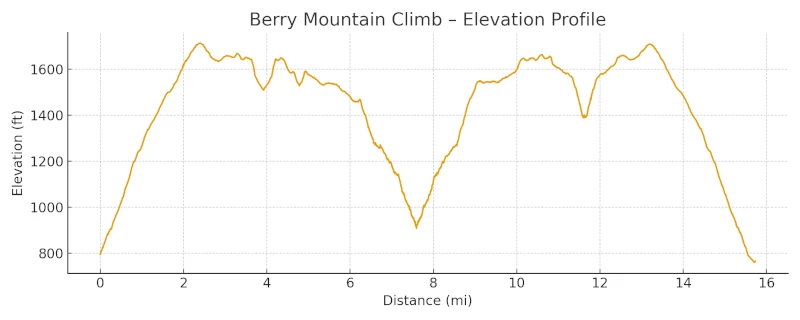
I’ve got a full Adventure Log and a long video coming this week from Berry Mountain featuring rocky climbs, sketchy pitches, and a deer who seemed miffed at my existence.
Today’s just the teaser and the promise: the story lands with the video.
Route stats and map are prepped; lessons learned are already scribbled in the margins.
If you like old-truck competence and roads that turn into rumors, you’ll want to be here for it.
What to expect from the Berry Mountain Climb video:
Distance: 15.7 miles
Elevation gain/loss: 2,032 ft / 2,120 ft
High/Low elevations: 1,713 ft / 760 ft
Total Time (Not the video length): 2 hours, 2 minutes, 13 seconds
Average speed: 7.7 mph
Max grade: ~14.4% (approximate)
Help the wheels keep rolling, and show your love of affordable adventure with a sticker designed by yours truly!